
CHARGES, CANCELLATIONS, AND RESOLUTIONS
This procedure is established for activities related to Charges, cancellations, and resolutions. For this purpose, the company processes charges and receives payments from the platforms, arising from findings prior to the reservations that stay in our units.
Last Update: April 2026
Revised by: Johanna García
Objetive
- Ensure proper management of charges associated with each reservation.
- Ensure cancellations are processed according to established policies.
- Resolve any financial discrepancies or incidents in a timely manner.
- Verify that payments received from platforms are accurate and complete.
- Minimize financial losses by tracking pending charges and disputes.
- Maintain effective communication with platforms for case resolution.
- Optimize response times in handling charges, cancellations, and resolutions.
- Ensure proper traceability and documentation of each action taken.
- Comply with internal guidelines and quality standards in financial processes.
In the CRM, this process is recorded as #Damage
Situation Map

What is a situation
- A situation is any deviation in proper service that is noticed by a guest and may or may not be communicated to us by the guest. A situation can be classified as serious (requiring priority attention) if it prevents the guest from comfortably completing their stay.
No situation should be dismissed, and they should be resolved as quickly as possible from the time of notification.
Procedure Line
-
✅
CobrosChargesporfor Airbnb- Booking
PasoStep 1
IngresarGo ato Breezeway / CalendarioCalendar / UsuarioUser
CadaEach zonazone tendráwill cargadohave the charges to be made assigned to its user. Using the search icon, each one will appear:
Only amounts greater than or equal to $300 USD will be charged.
When there is a sucharge usuario,below losthis cobrosamount, a realizarse.note Poris laadded lupa buscadora, aparecerán cada uno:
Solo se cobrarán valores superiores o iguales a $300USD
Cuando hay un cobro inferior a este valor, se pone la nota enin Breezeway yand sethe cierraticket elis ticket.closed.


AlWhen darleyou clicclick enon elthe cobro,charge, se abre una pestaña alpanel ladoopens derechoon ythe aparecenright losside datosdisplaying basethe delbasic cobro.charge details.

PasoStep 2
Laa. siguienteThe herramientanext paratool ejecutarto lacarry gestión,out esthe elprocess Centrois de Resoluciones de la plataformathe Airbnb Resolution Center.
https://www.airbnb.com/resolutions/

Enb. laOn plataforma,the seplatform, solicita el dinero desde la opción Requestthe money yis serequested sigueusing elthe paso“Request aMoney” paso,option, paraand haceryou losfollow requerimientosthe astep-by-step losprocess huéspedesto porsubmit losclaims dañosto queguests reportefor eldamages equiporeported deby Mantenimientothe yMaintenance Limpieza.and Así:Cleaning team. Like this:
Request Money

Sec. colocaEnter elthe códigoreservation de la reservacode.

Sed. escogeSelect lathe opción:option: Damage, missing items, or unexpected cleaningcleaning.
TenerKeep enin cuentamind quethat estethis cobrocharge solocan seonly tienebe lasubmitted opciónup de subirse hastato 15 díasdays despuéafter the guest’s de la salida del huésped. check-out.


Ene. estaIn partethis sesection, leselect dice:“No” NO,indicating quethat nowe requerimosdo depositonot de seguridad y se procederequire a continuarsecurity eldeposit, proceso,and colocandoproceed elwith contextothe deprocess loby sucedidoproviding conthe elcontext huéspedof ywhat lahappened razón,with porthe laguest queand sethe estáreason montandowhy elthe cobrocharge alis sistema.being submitted to the system.
PasoNext, seguido,select se escoge elthe item porfor elwhich quethe secharge estáis haciendobeing el cobro:
made:

f. Next, the relevant case information is entered, including the evidence that the team has uploaded in Breezeway regarding the damage.
PasoImportant: seguido,It seis llevaasked lawhether informaciónit correspondientecan albe caso,repaired, conand lathe evidenciaanswer que el equipo ha montado en Breezeway sobre el daño.
Importante: Se pregunta si se puede ser reparado, y la respuesta enis NO.
Importante:Important: SeThe preguntaage elof tiempothe delitem artículo.is Siempreasked. seIt pone,should Menosalways debe unmarked año.as “Less than one year.

Eng. laIn partethe deinvoice lasection, factura, se usa el archivo enthe Excel confile loswith formatosthe entregados.provided templates is used.

Enh. esteAt punto,this espoint, importanteit queis seimportant ubiqueto elfind mismothe artículosame queitem sebeing estésold vendiendoonline, enwhich lathe red,resolutions conteam elwill cualuse elto equipoverify dethe resolucionesitem’s validarácurrent elmarket valor dela artículo en el comercio actual:value.

Despuési. deAfter anexadoattaching elthe Itemitem, seclick le dá NEXT“Next.

Después,j. elNext, sistemathe preguntasystem cúandoasks ocurriówhen elthe hechoincident yoccurred, seand seleccionathe elguest’s diacheck-out dedate checkoutis del guest:selected.

Yk. yaAnd quedathe montadocharge elis cobronow ensubmitted elin sistemathe Airbnb system.

FinalizadoL. elOnce proceso,the elprocess is completed, the guest tienehas 24 horashours parato dar respuesta. respond.

Sim. pasadas lasIf after 24 horas,hours elthe guest nohas hanot respondido, se debe involucrar aresponded, Airbnb paramust quebe entreinvolved enso elthey proceso,can comostep eninto elthe siguienteprocess, ejemplo:as in the following example:

PasoStep 3
Al correo, pasadosAfter 5 días,days, estaráan llegandoemail elwill correobe frentesent alregarding pagothe depayment esosof escalamientos,those oescalations, notificacionesor sobrenotifications aclaracionesabout queany seclarifications necesitenrequired deby partethe deplatform, lawith plataforma, con elthe label: airbnb-resolutions

EsIt importanteis estarimportant pendienteto delstay correoattentive electrónico,to parathe cumpliremail coninbox elin procesoorder requeridoto ycomply finalizarwith elthe procesorequired deprocess resoluciónand delcomplete caso.the resolution of the case.
PasoStep 4
ImportanteIt crearis elimportant to create a Note ticket dein Nota,order parato tenerhave lavisibility visualof delthe seguimientofollow-up enin elthe CRM, enwithin lathe reservareservation ato lawhich quethe correspondacharge dichocorresponds.
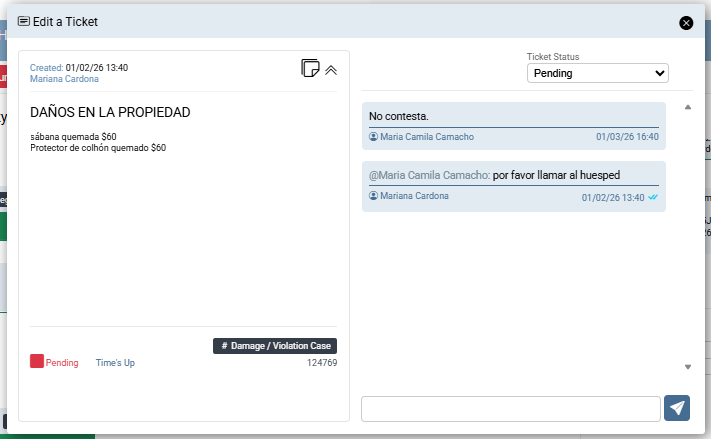
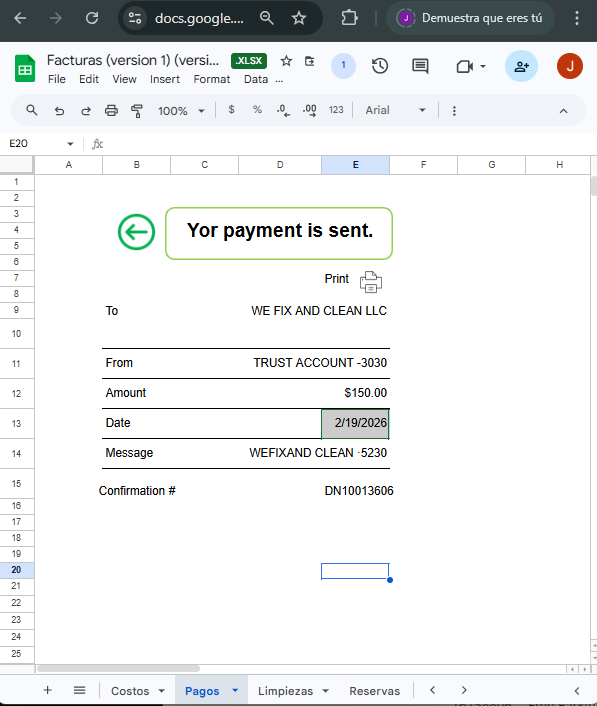
PasoStep 5
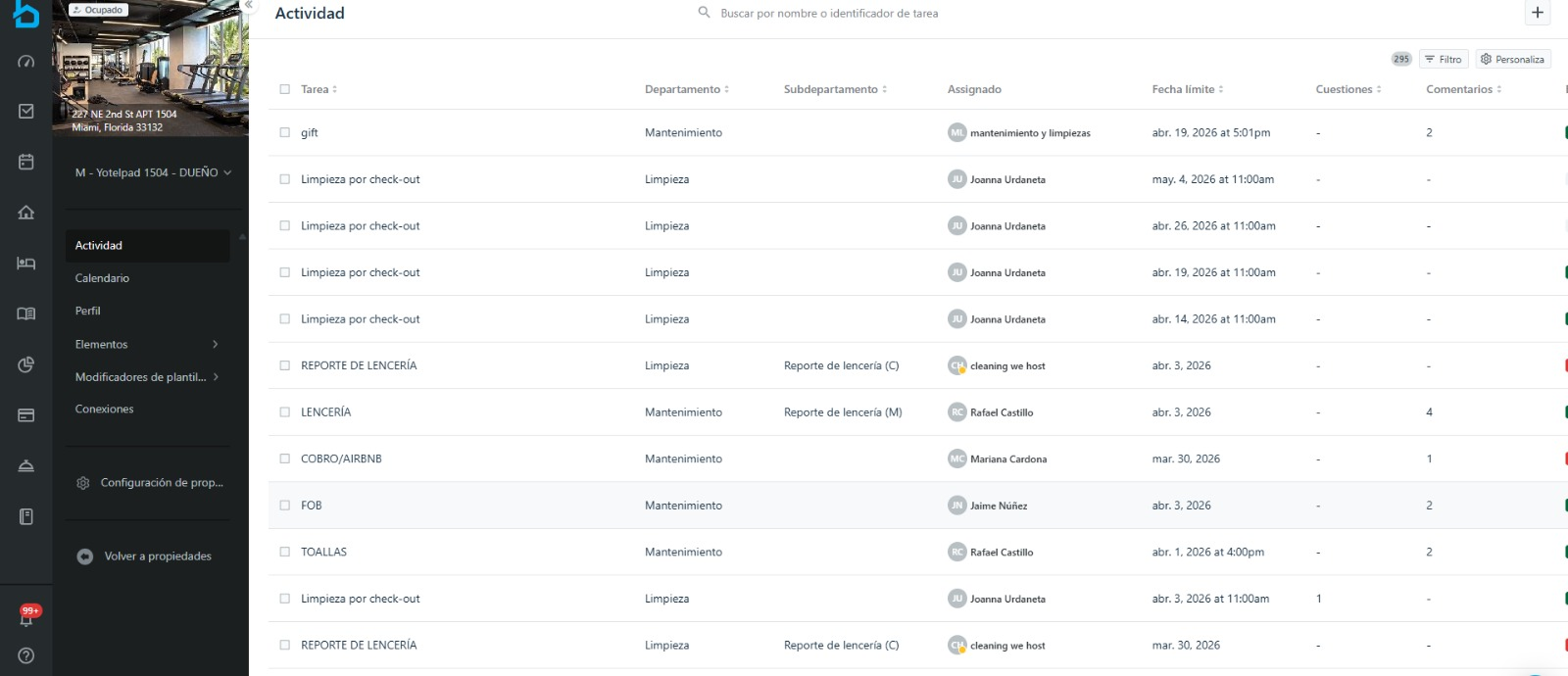
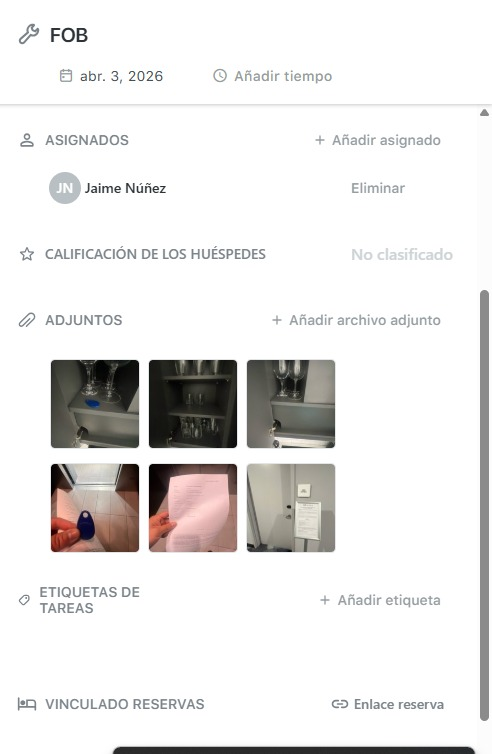
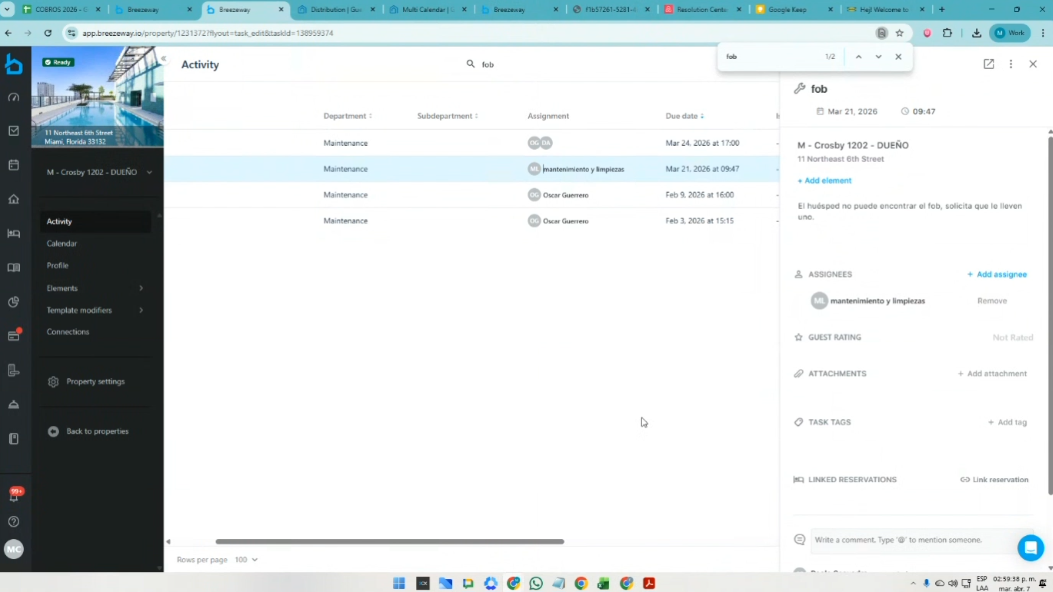
SeIn dacase enthe casoplatform derequests quefurther seclarifications, soliciteit deis partepossible deto lause plataforma,this másformat aclaraciones.provided Esin posiblethe usarshared esteExcel formatofile queor estáa enscreenshot elof excelthe compartidosame ocase unin pantallazo del mismo caso en BrezzewayBreezeway.
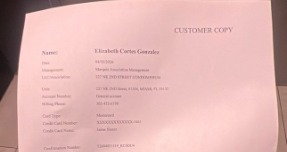
Breezeway: Search for the word FOB.Se busca FOB
PasoStep 6
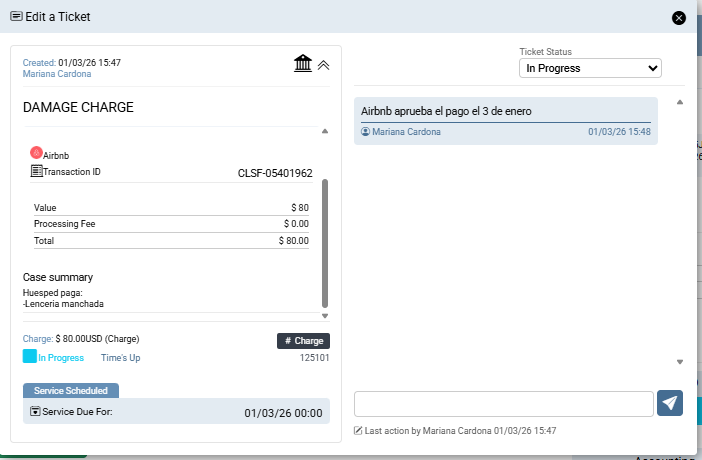
YAnd cuandoonce sethe hayapayment hechohas efectivobeen elprocessed, pago,a se debe crear elCharge ticket demust Chargebe encreated elin the CRM, enunder lathe reservareservation ato lawhich quethat correspondapayment dicho pago. corresponds.
2. ✅Cancelaciones Airbnb
Por el perfil de Airbnb: Info, se visualizan las penalidades:
https://www.airbnb.com/hosting
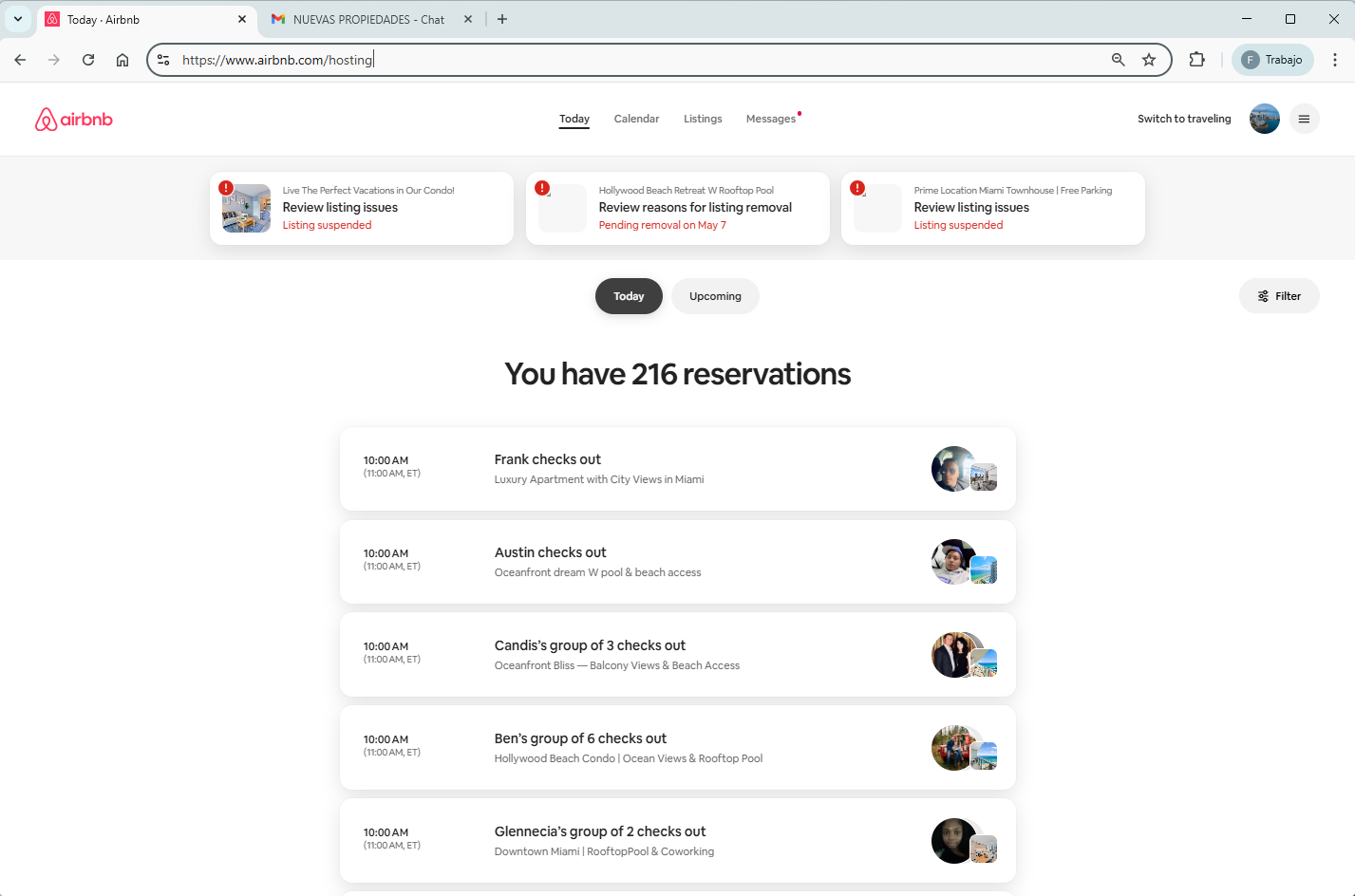
En la parte inferior, se da click a -See all reservations-
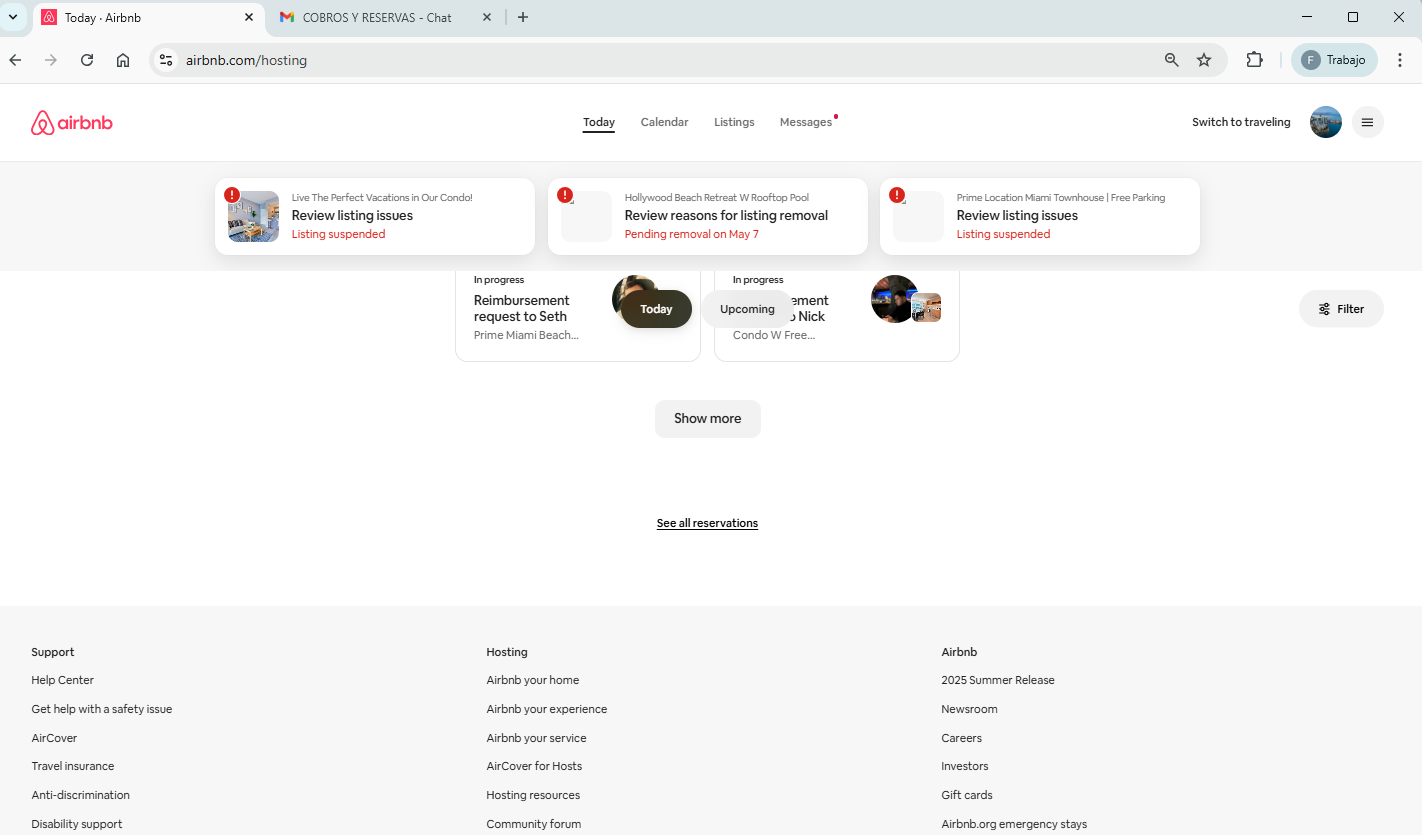
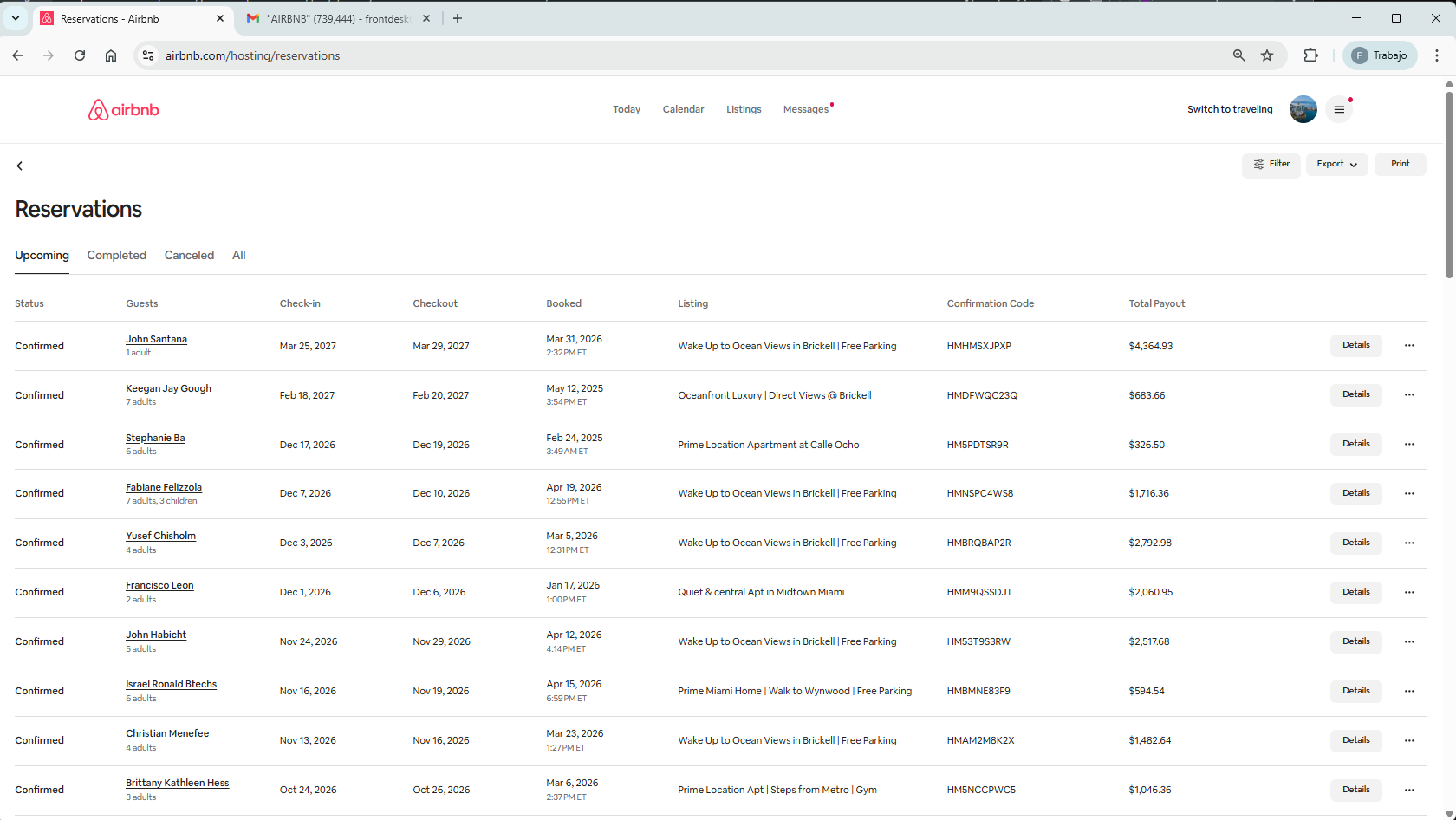
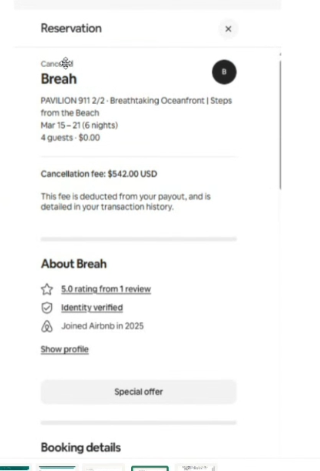
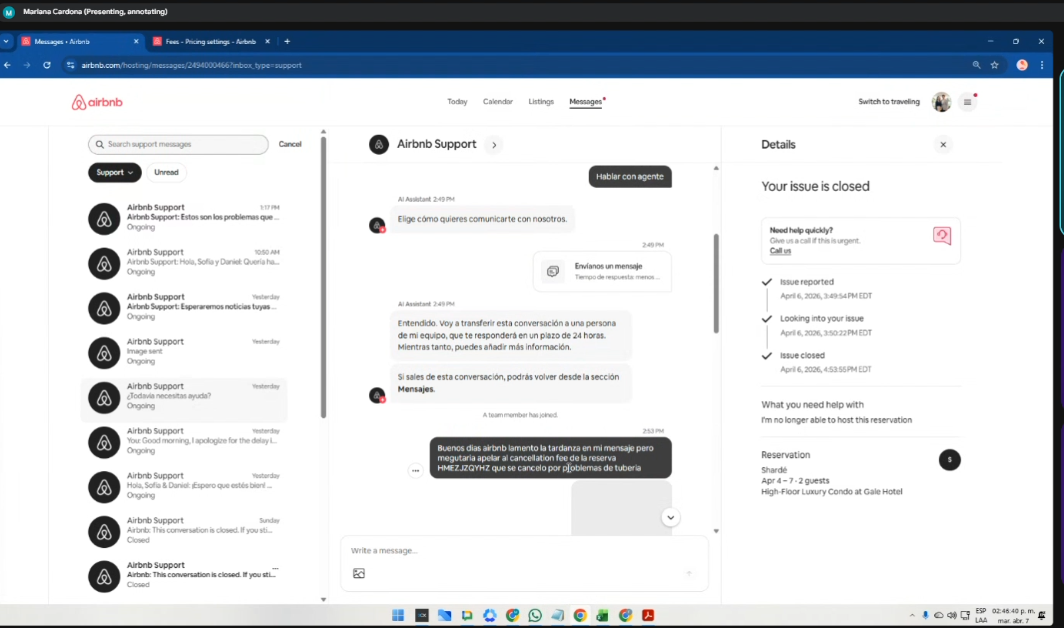
Se procesa a través del chat, informando a la plataforma lo sucedido. Ellos quitan la penalidad de cancelaciones o los cobros que no estén justificados.
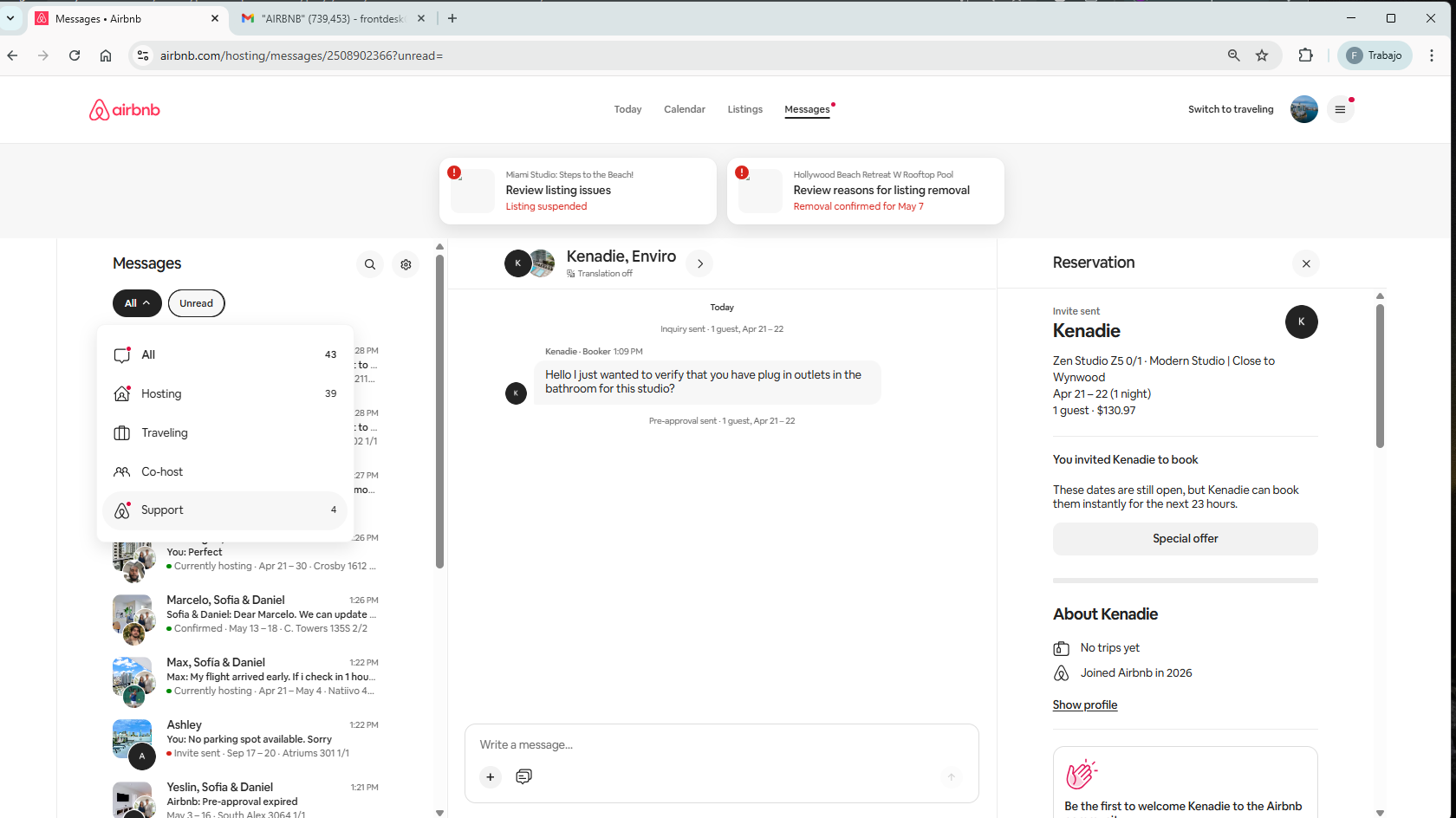
Para abrir NUEVO CASO
Por el perfil de Airbnb/Soporte
https://www.airbnb.com/hosting/messages/2508902366?unread=
Message/ ALL / Support: https://www.airbnb.com/hosting/messages/2508912638?inbox_type=support
Al buscar un caso que ya esté -Closed-, en la parte inferior hay un aviso de ContactUs. Se le da clic.
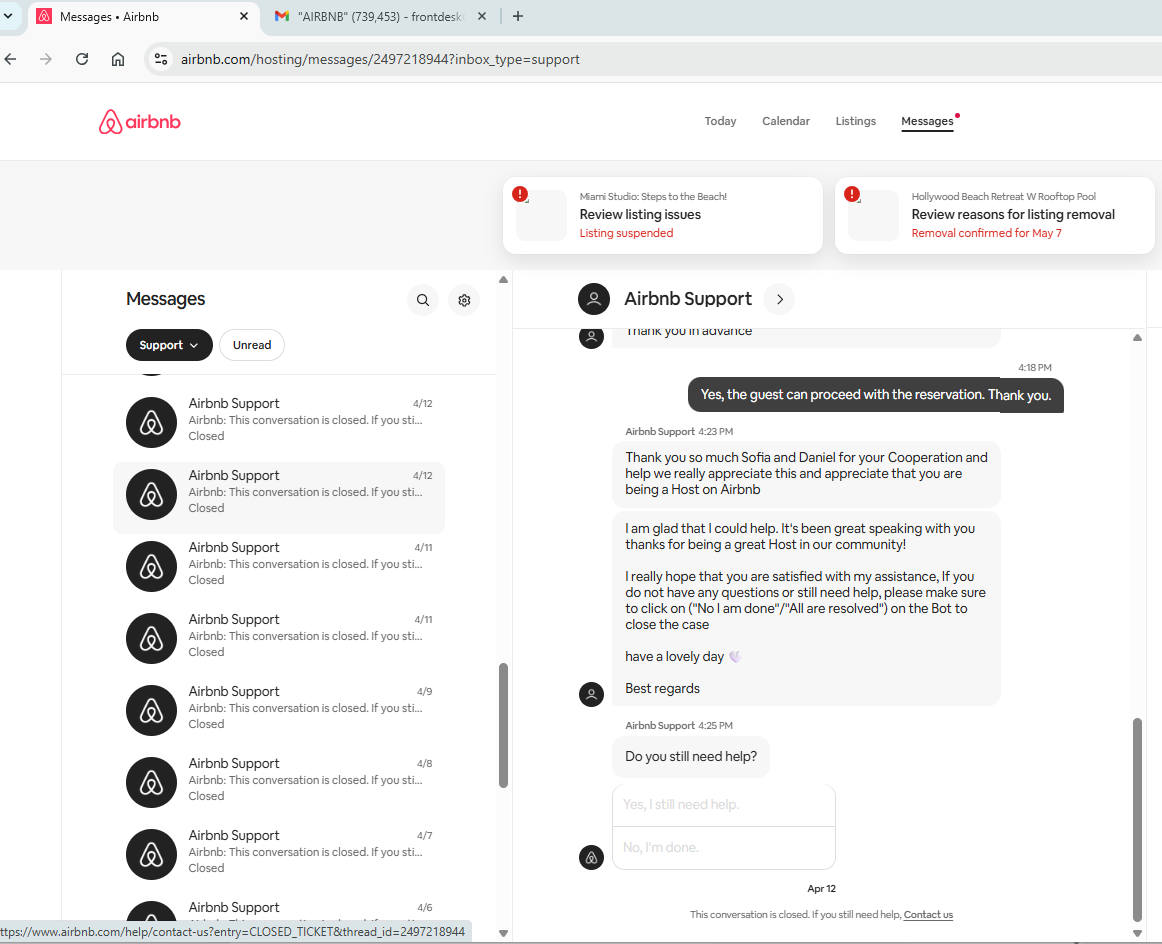

Y allí se empieza a hacer el escalamiento debido:
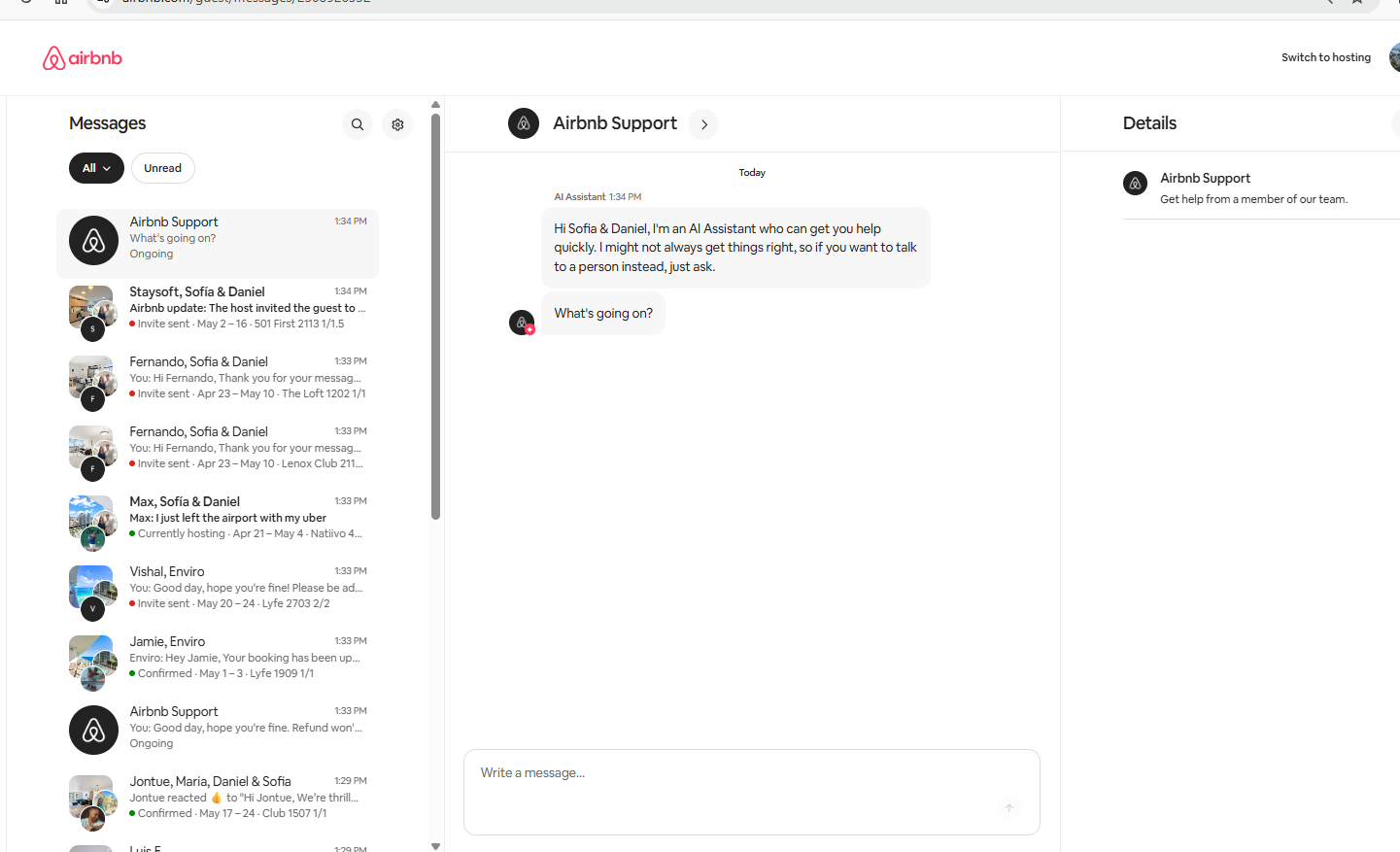
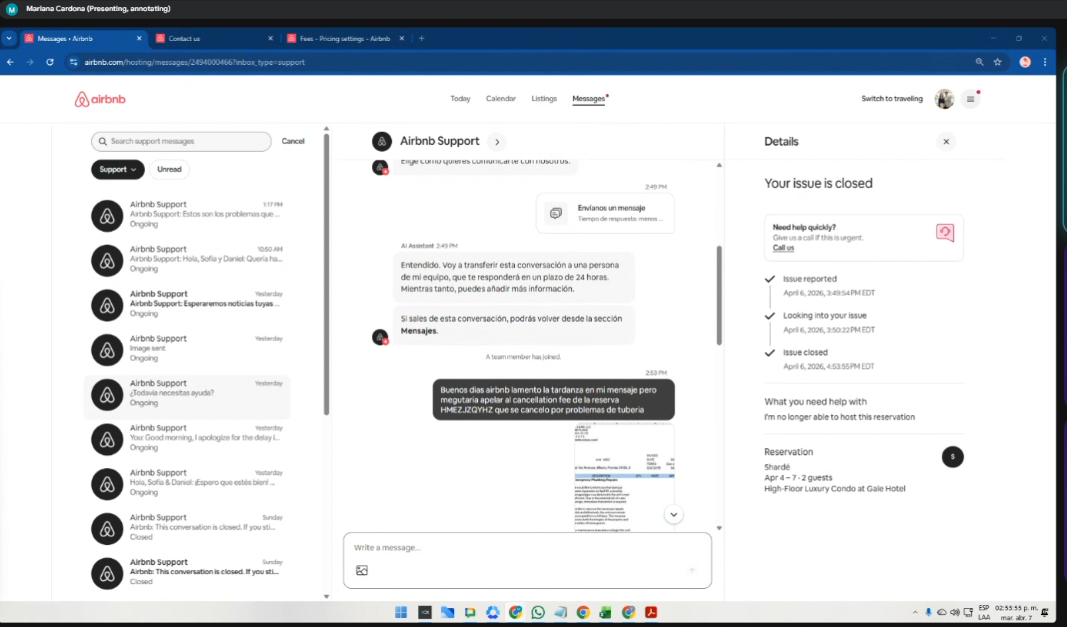
3. ✅Resoluciones Airbnb
La labor se ejecuta desde Resolution Center
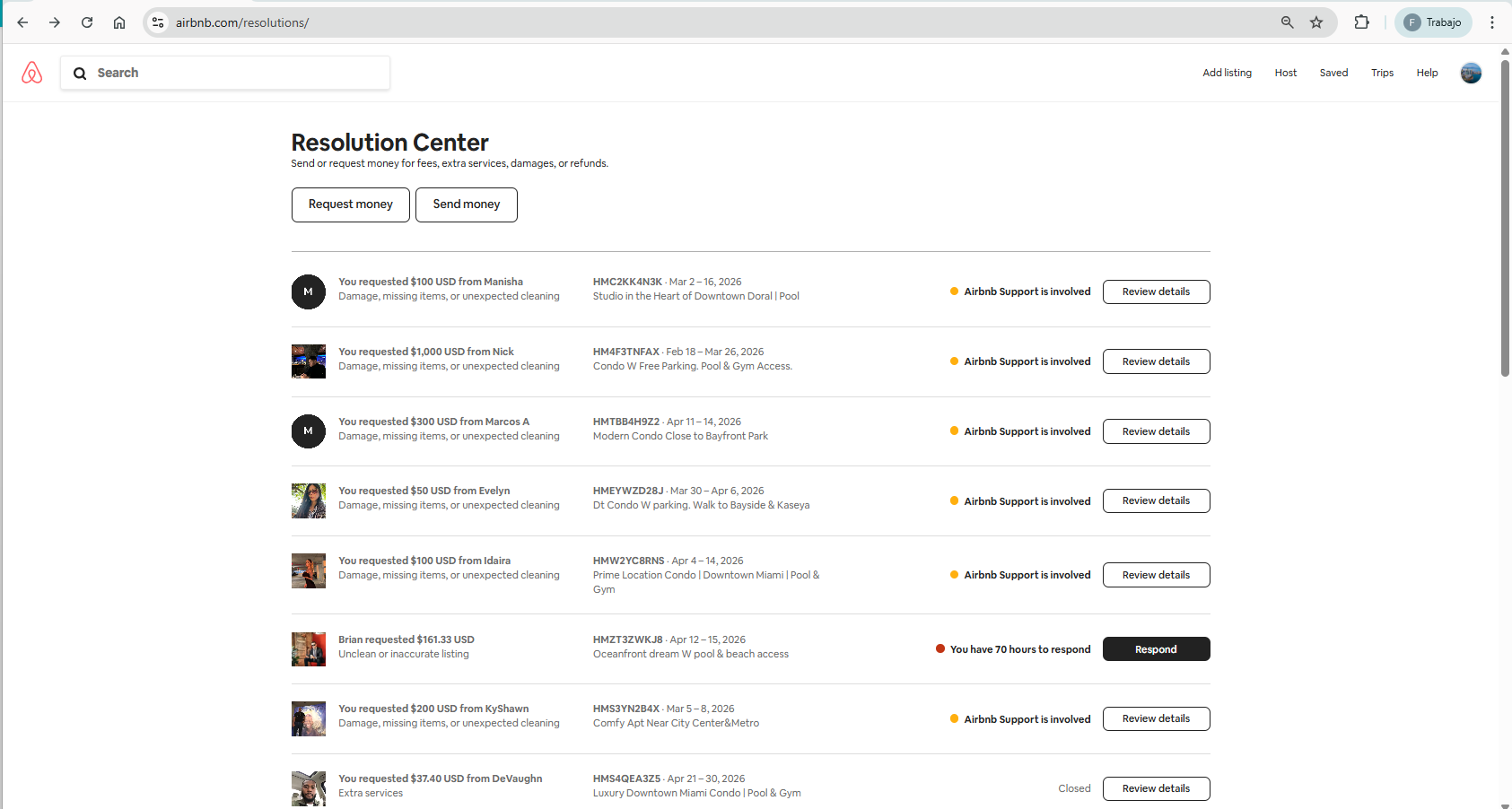
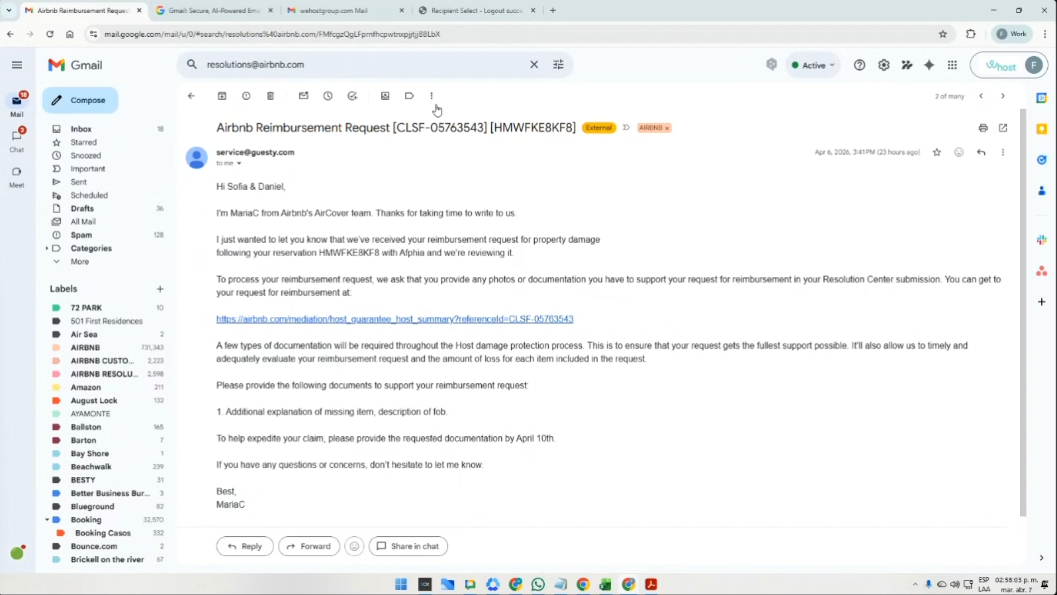
Importante crear el ticket de Nota, para tener la visual del seguimiento en el CRM, en la reserva a la que corresponda dicho cobro.
Paso 5
Y cuando se haya hecho efectivo el pago, se debe crear el ticket de Charge en el CRM, en la reserva a la que corresponda dicho pago.
🔴4. Chargueback
5.✅ Resolusiones Booking
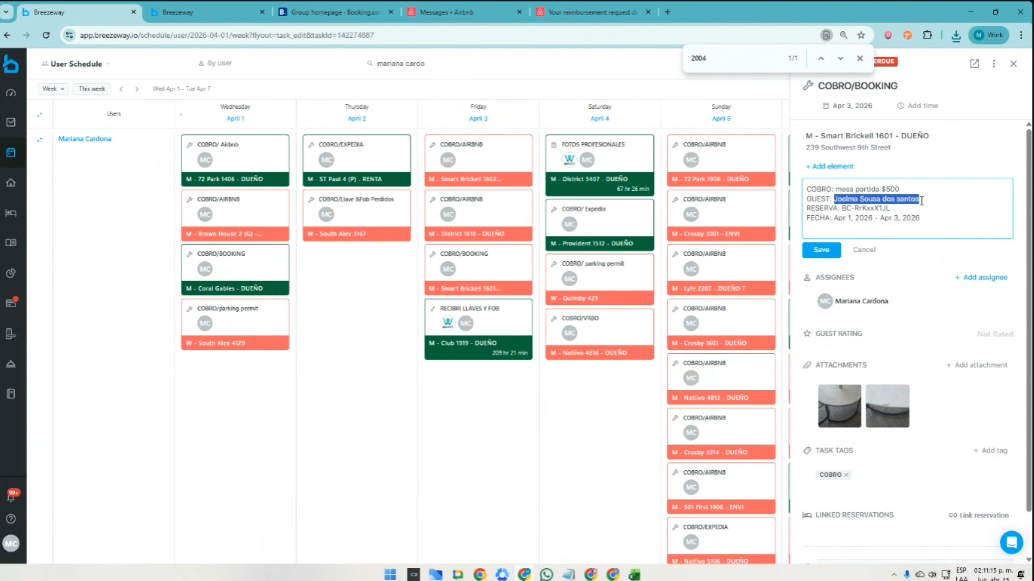
Los cobros por Booking, se visualizan en la plataforma Breezeway
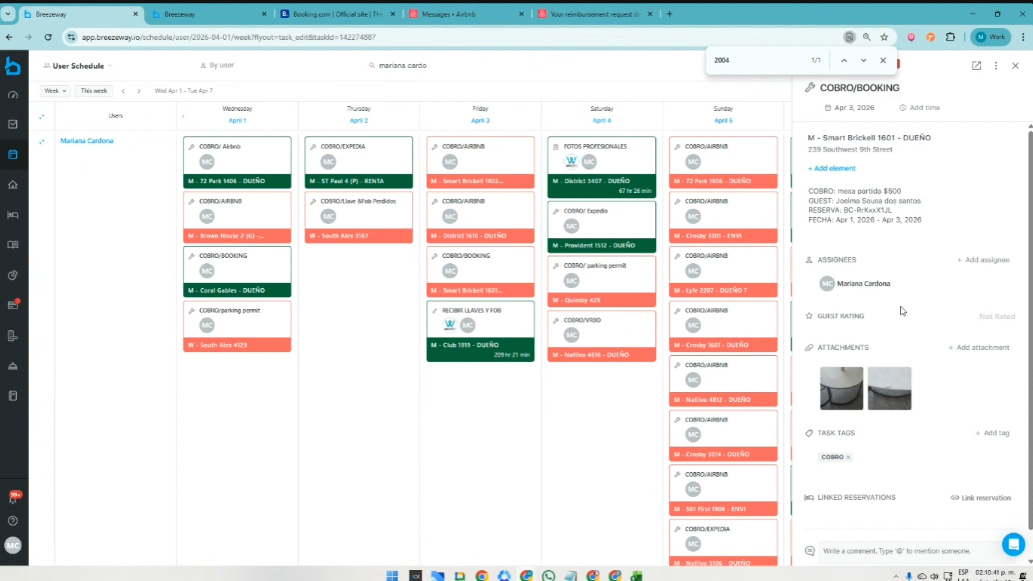
Se ingresa a Booking
Usuario: CarlosRuizWeHost
Password; BookWH26_$$$
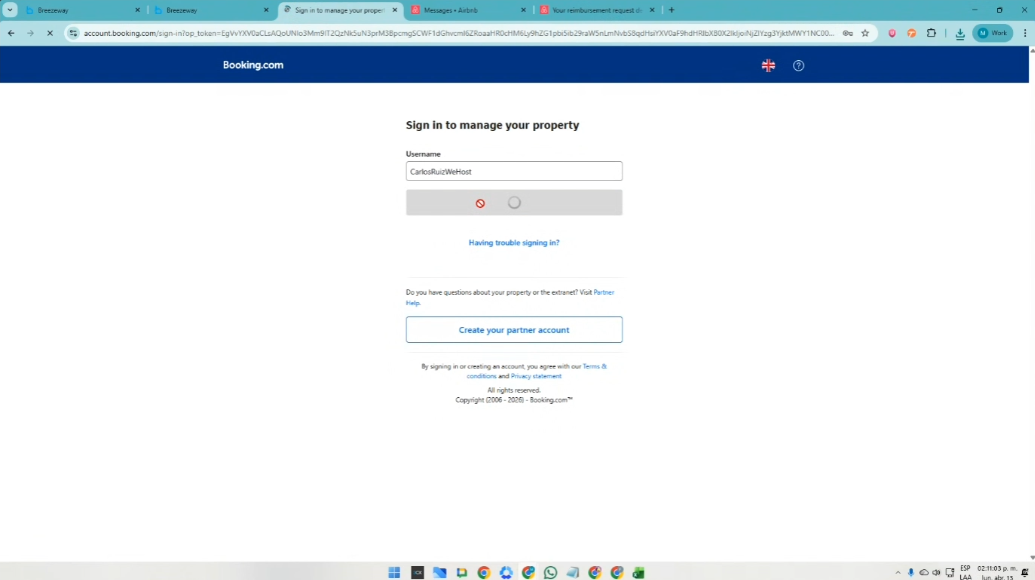
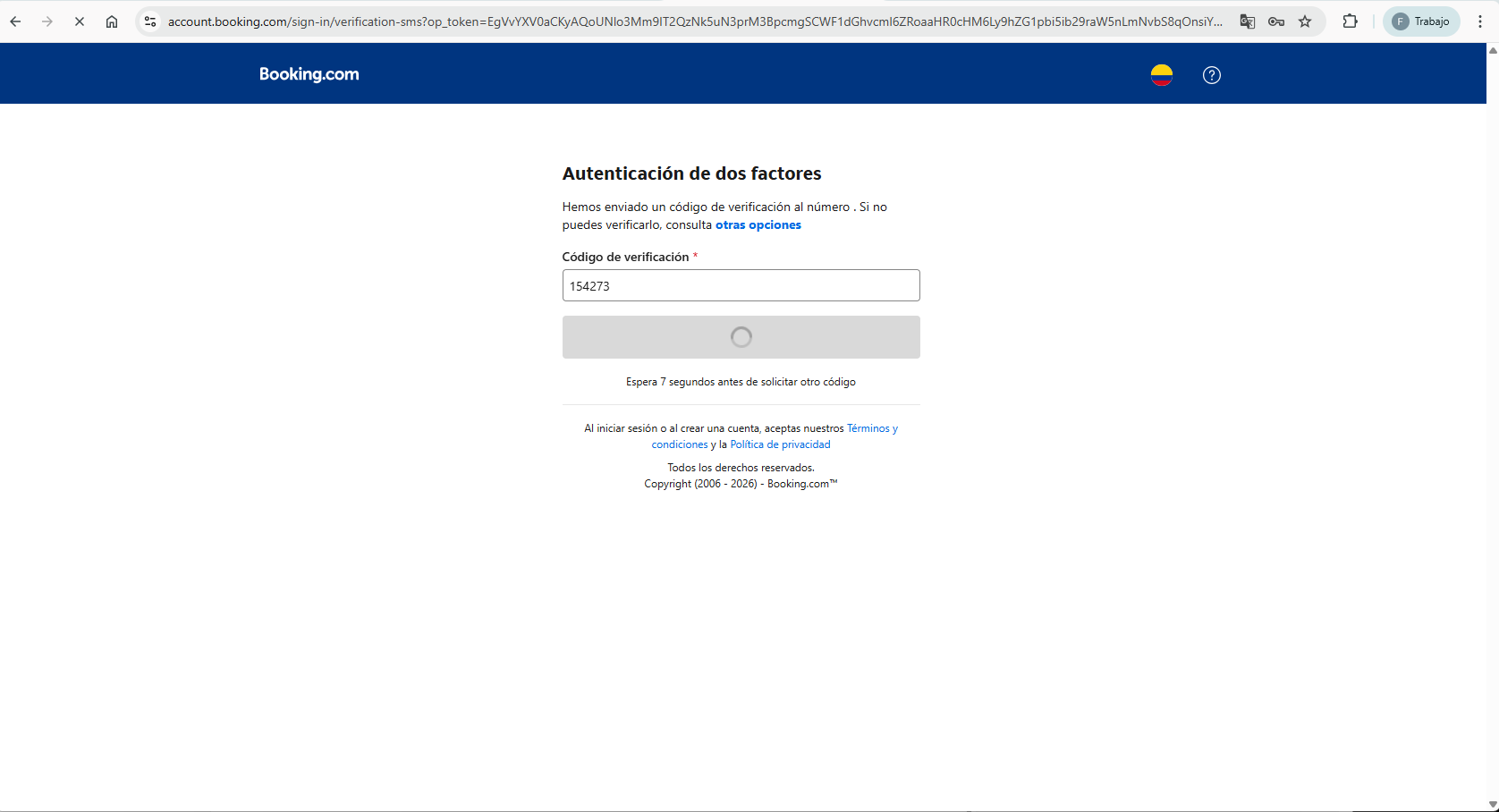
Se verifica a través del correo electrónico y se ingresa con el código que llega al correo del Front desk
Y con el nombre del huésped, se busca en la plataforma el caso:
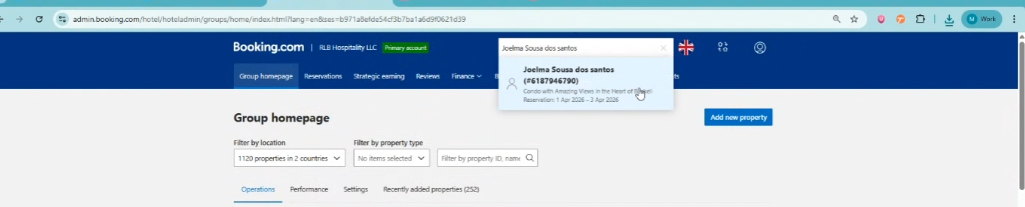
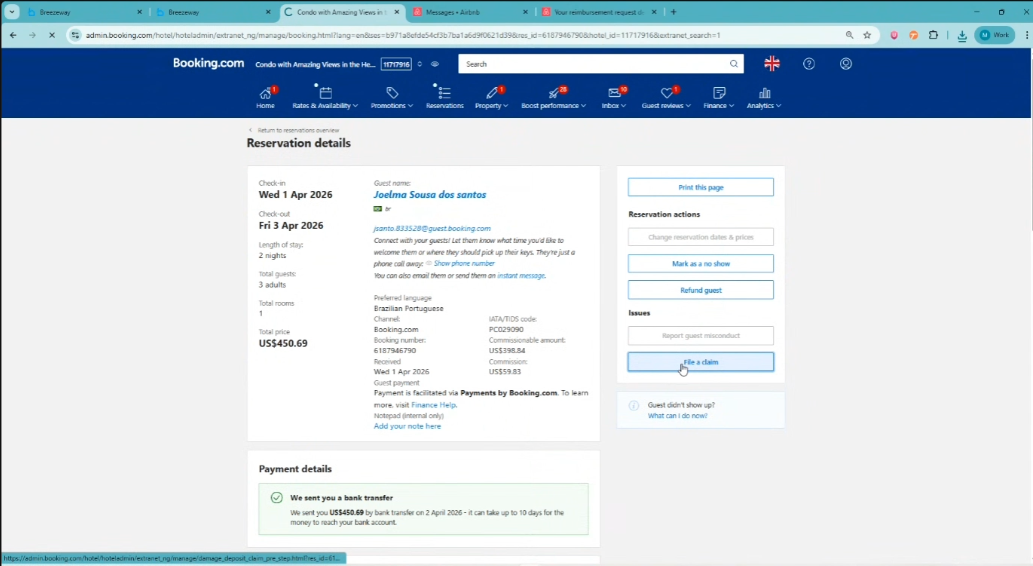
Recordatorio: Se tienen 14 dias para hacer el reclamo frente a la plataforma.
Se da click en File a claim
Se baja al final de la página, se aceptan los Términos y se presiona Make a claim:
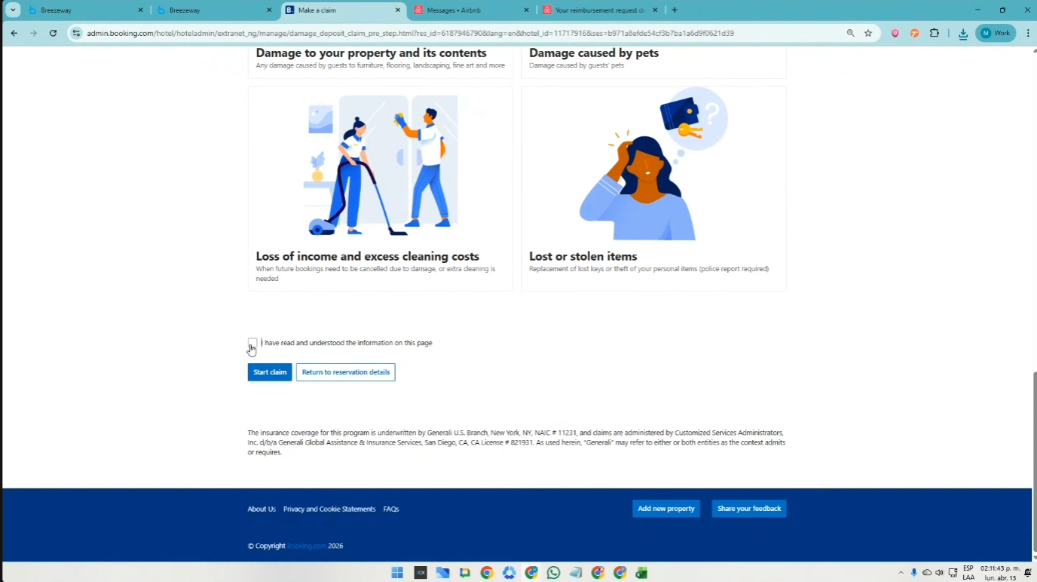
y se abre la pestaña, para ejecutar el reclamo:
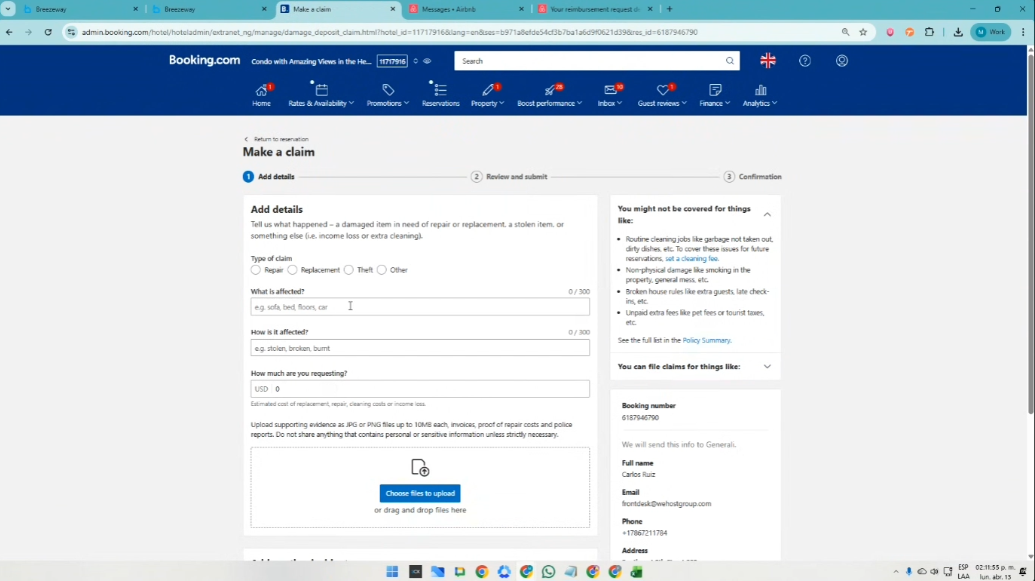
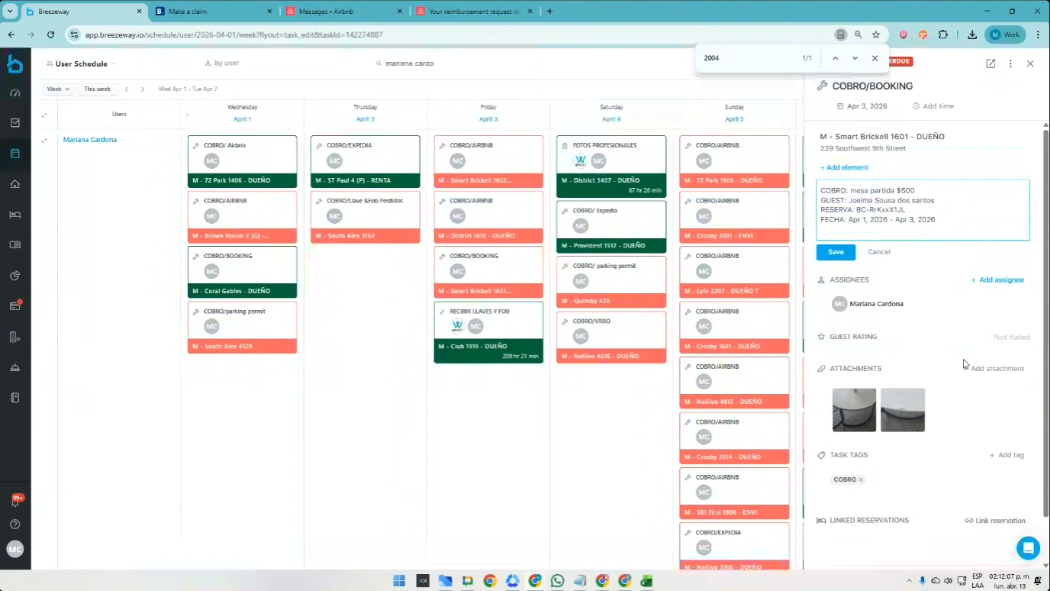
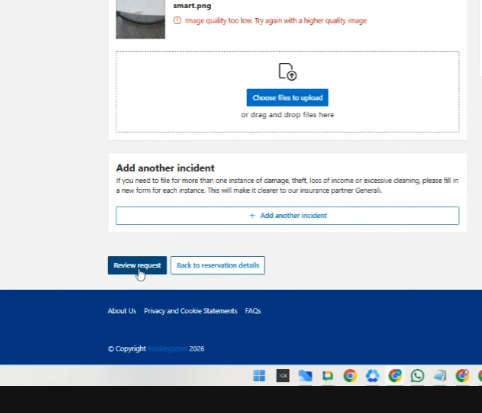
Se sube la info que se encuentra registrada en el caso de la plataforma Breezeway
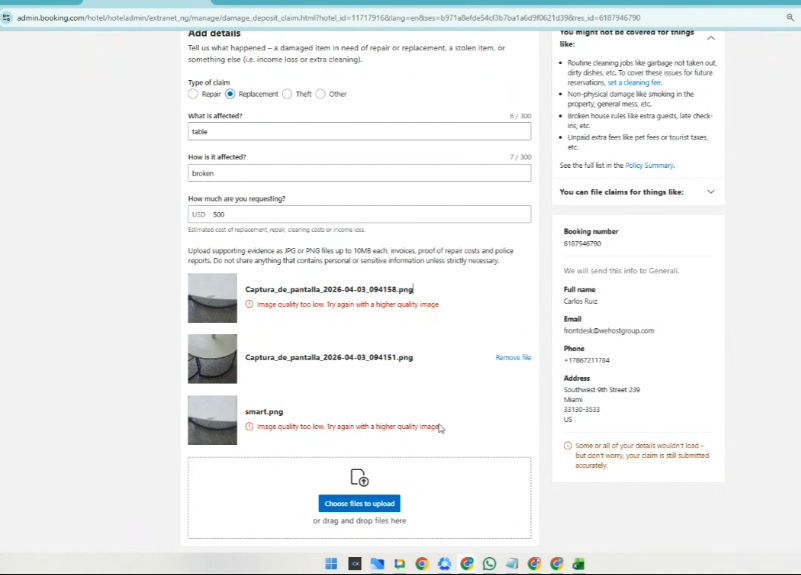
Cuando esta finalizado, se presiona Review request:
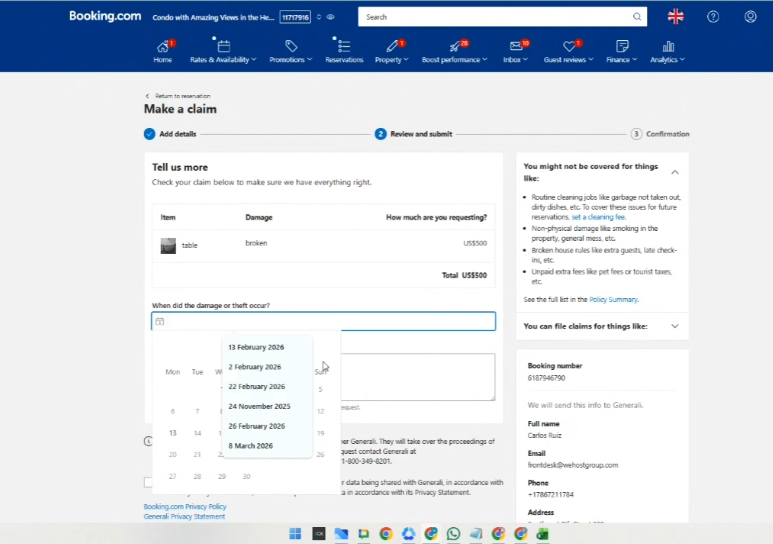
Se coloca la fecha en la que ocurrió el daño:
Y para la descripción del daño, se recomienda usar Inteligencia Artificial para ser muy coherentes y precisos en el texto, donde se acentúe que el daño es provocado por el huésped.
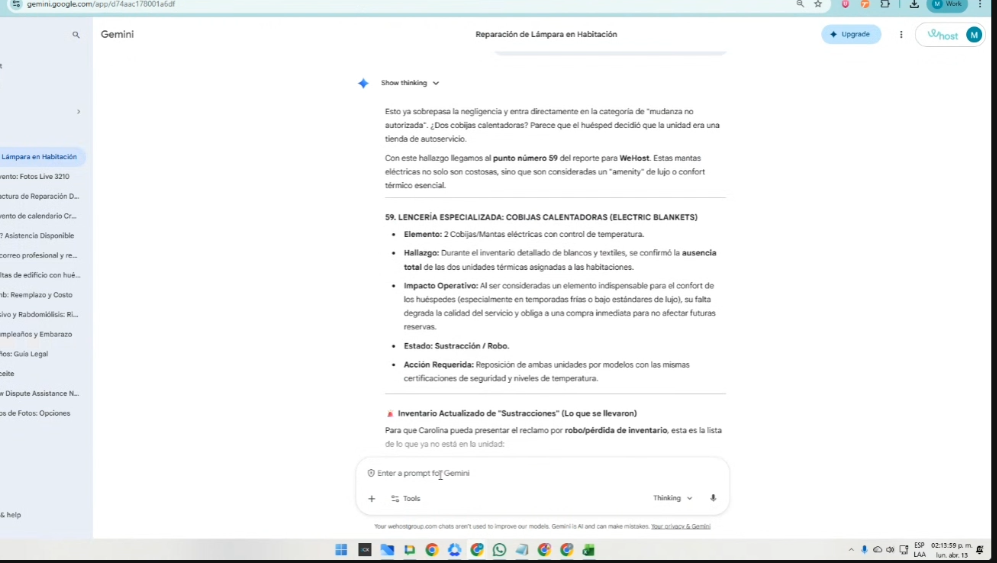
De ese cuadro, se deben hacer las modificaciones en:
- Fecha de salida de la unidad
- Datos del guest
- Contexto o descripción del problema o escalamiento
- Valor a cobrarse
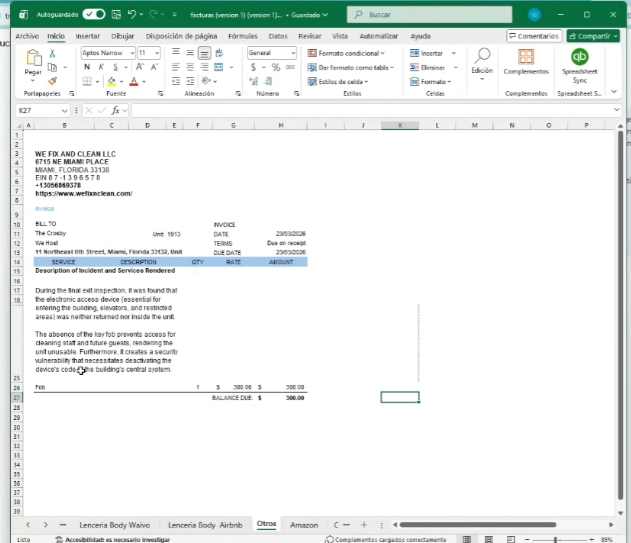
Posterior a esto, se copia el formato en la página y se pone la misma descripción en el recuadro:
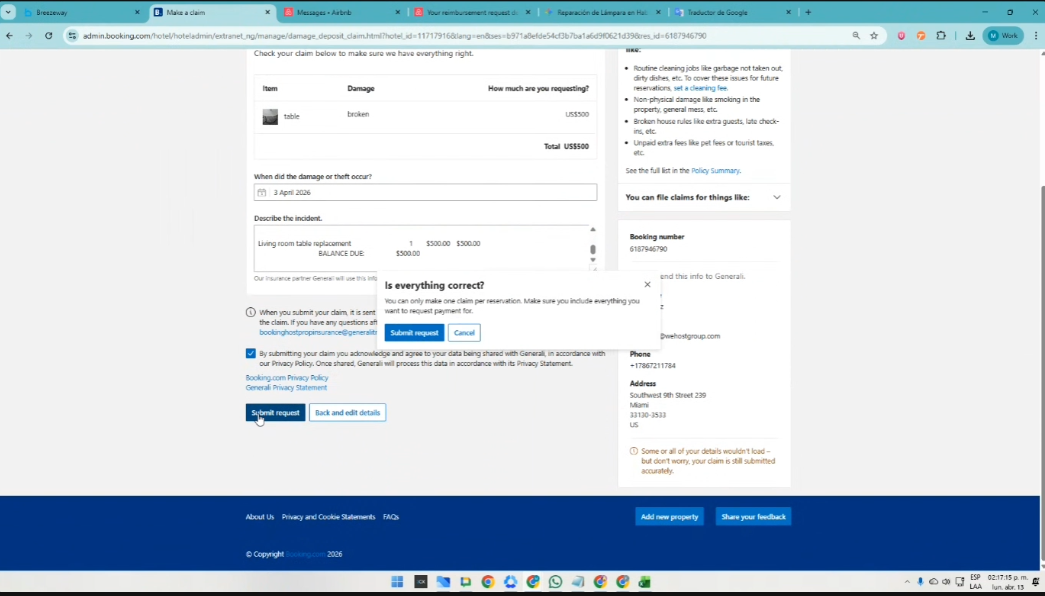
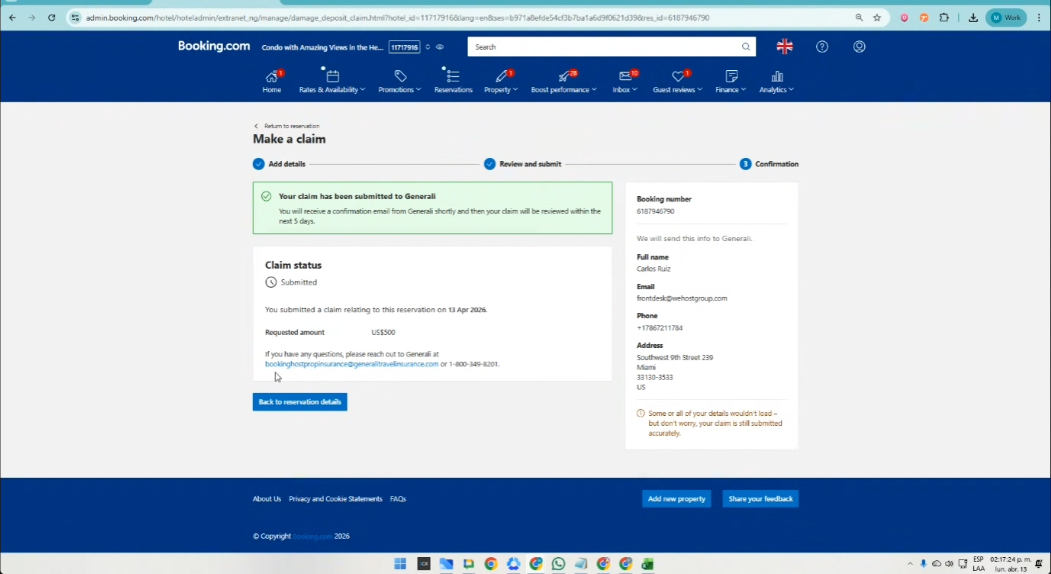
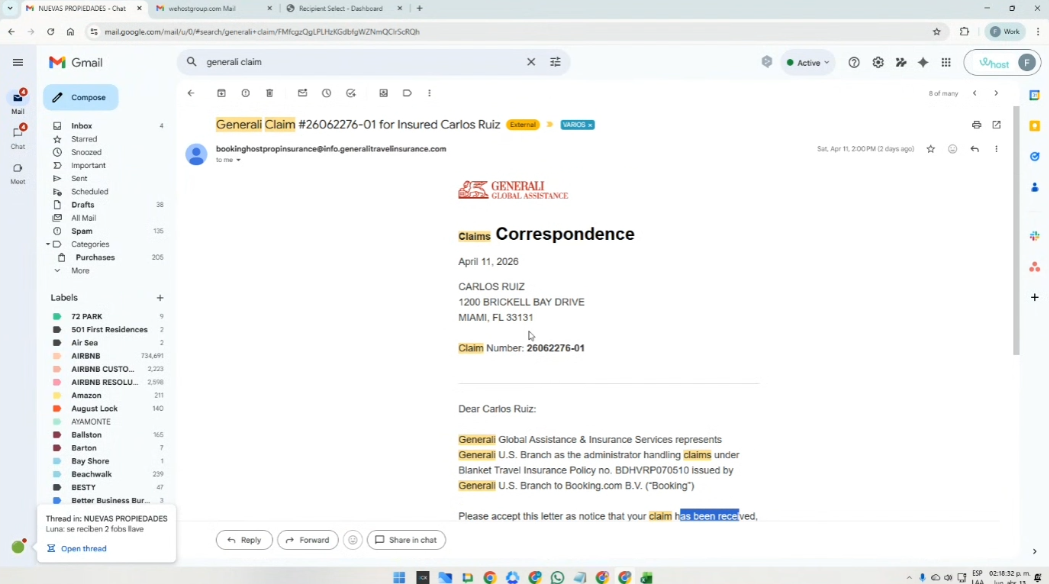
Con el correo que aparece en azul (señalado con la flecha), se copia y se pega en el correo, para validar
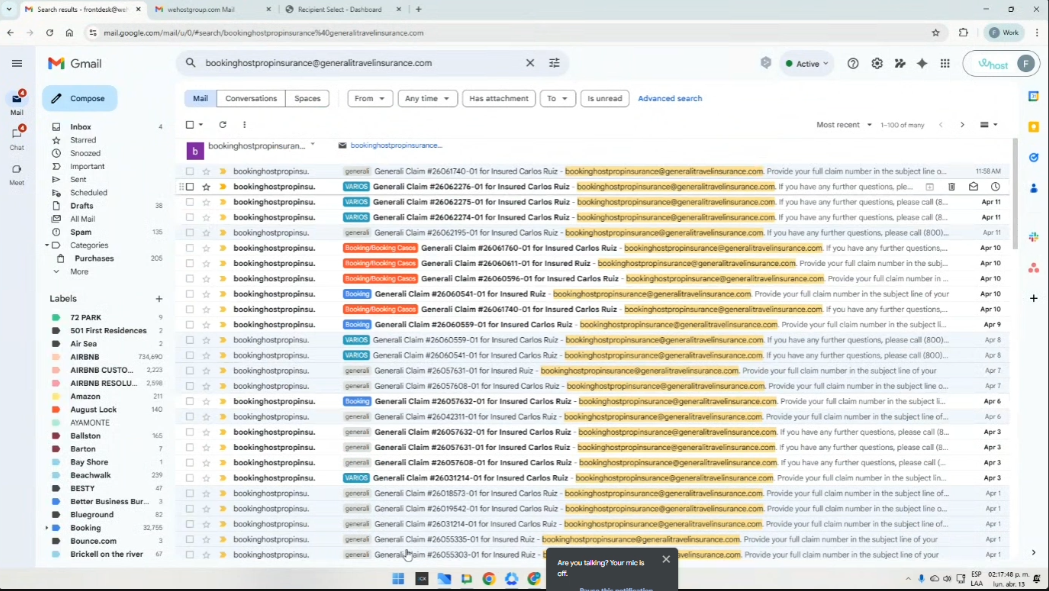
o poniendo el Labol: generali Claim también se encuentra.
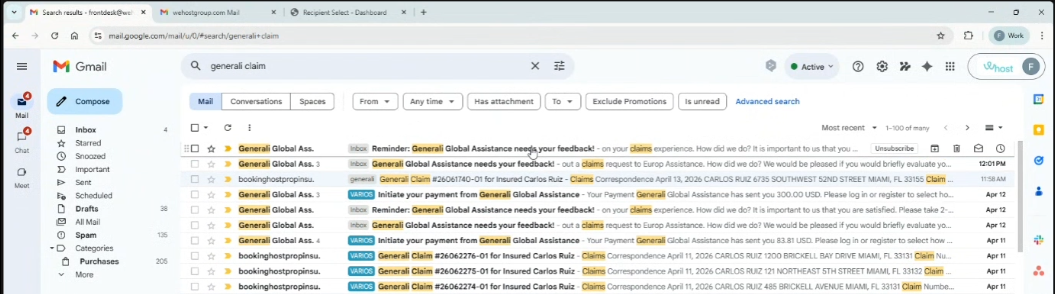
y asi aparece el reporte del cobro
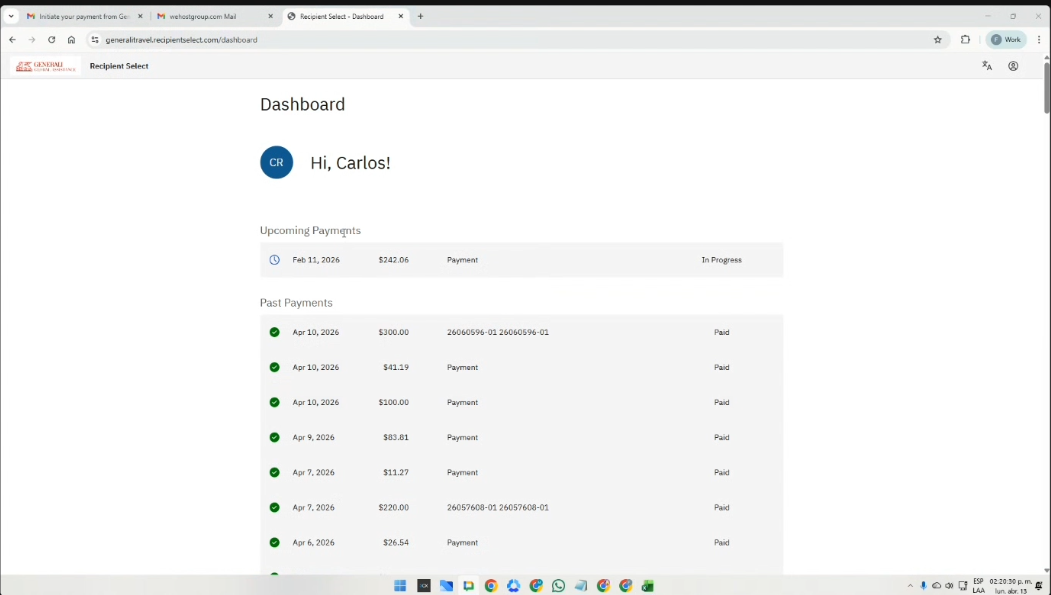
https://generalitravel.recipientselect.com/dashboard
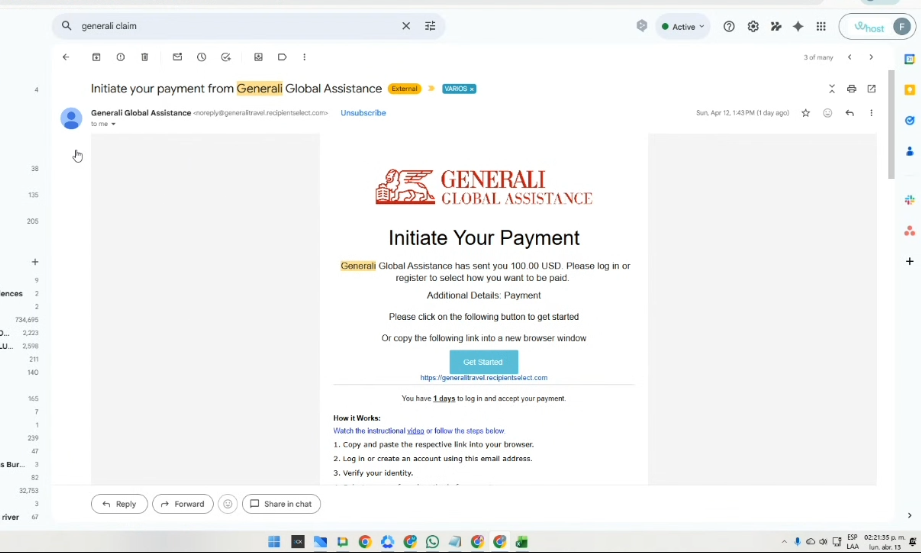
Por esa página se puede ver los pagos que se generan (se tienen 3 días para aceptar estos pagos)
o se puede ver ese pago al correo:
🔴6. Refunds Booking
::::::::::::::::::::::::::::::::::::::::::::::::::::::::::::::::::::::::::::::::::::::::::::::::::::::::::::::::::::::::::::::::::::::::::::::::::::::::::::::::::::::::::::::::::::::::::::::::::::::::::::::::::::
Los siguientes, son los archivos soporte de los procesos descritos anteriormente:
The Excel file contains standardized templates for linking the invoices that must be used in each case:
The following recordings contain the official handovers for each procedure, in order to ensure continuity of each assigned activity:
Part 1:
https://drive.google.com/file/d/16jUWNWSTiDomhpLszzc3aqdHe5uDTsU5/view?usp=sharing
Part 2:
https://drive.google.com/file/d/16jUWNWSTiDomhpLszzc3aqdHe5uDTsU5/view?usp=sharing