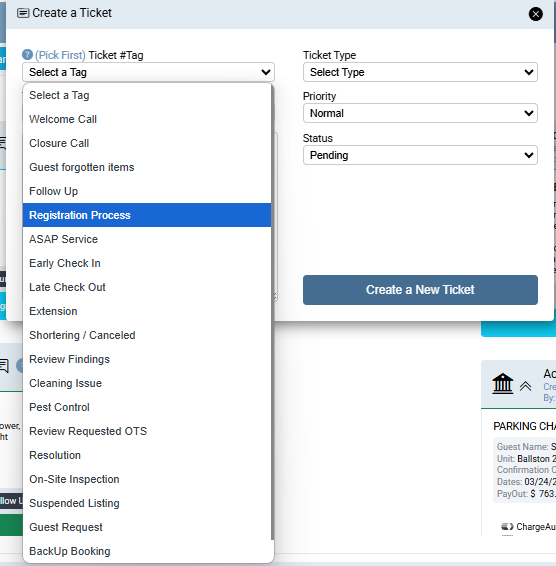
M-72 Park
This is the procedure for registering a confirmed reservation at the 72 Park Building.
Last Update: 03/2025
Revised by: Johanna García G.
Objetive
• Register guests via platform in advance to facilitate a smooth check-in process, avoiding misunderstandings and delays.
• Guests should be informed during the Welcome Call that this building requires prior registration; otherwise, they will not have access to the amenities or timely entry.
• To prevent any inconvenience at the entrance that might burden front desk staff, especially during peak season, the registration process is set to occur after the Reservation Confirmation (within a maximum of 20 days for advance bookings. For same-day confirmations, it should be done immediately).
• This registration refers to the email format and will be automated by the CRM.
Any contact with the guest should include a request to confirm a valid contact number, enabling a direct conversation with the guest. This allows for a thorough and clear explanation of the importance of the registration process, along with completing other tasks essential to welcoming the guest.
FAQ's
What information do I need to complete the registration?
| Information | Notes | |
| Main Guest ID | NO | |
| Main Guest Full Name | YES | |
| Main Guest Email | NO | |
| Main Guest Phone | NO | |
| The main guest must be present at check-in | NO | |
| All Guests ID | NO | |
| All Guests Full Names | NO | |
| All Guests Emails | NO | |
| All Guests Phones | NO | |
| Executed (Signed) Rental Agreement | NO | |
| Background Check Screening: Passed | NO |
Should I call the front desk of the building to inform them of any updates regarding a guest?
- Yes, communication with the building is the best tool to demonstrate that we are committed to meeting the building's requirements. For this reason, we are sharing updates that may impact the quality of service upon the unexpected arrival of the guest.
Workflow Map
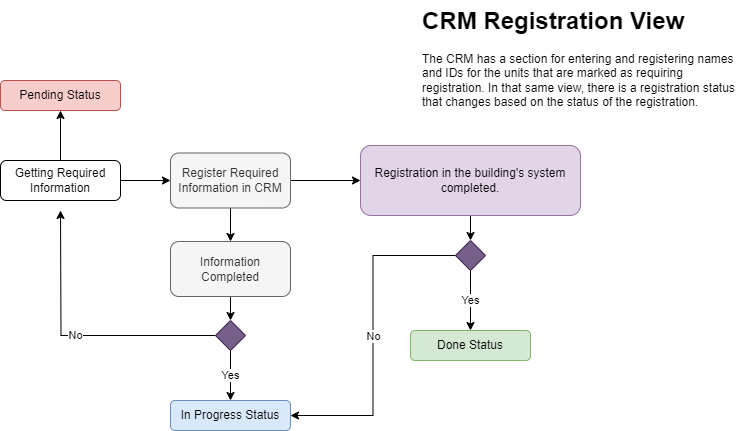
Procedure Line
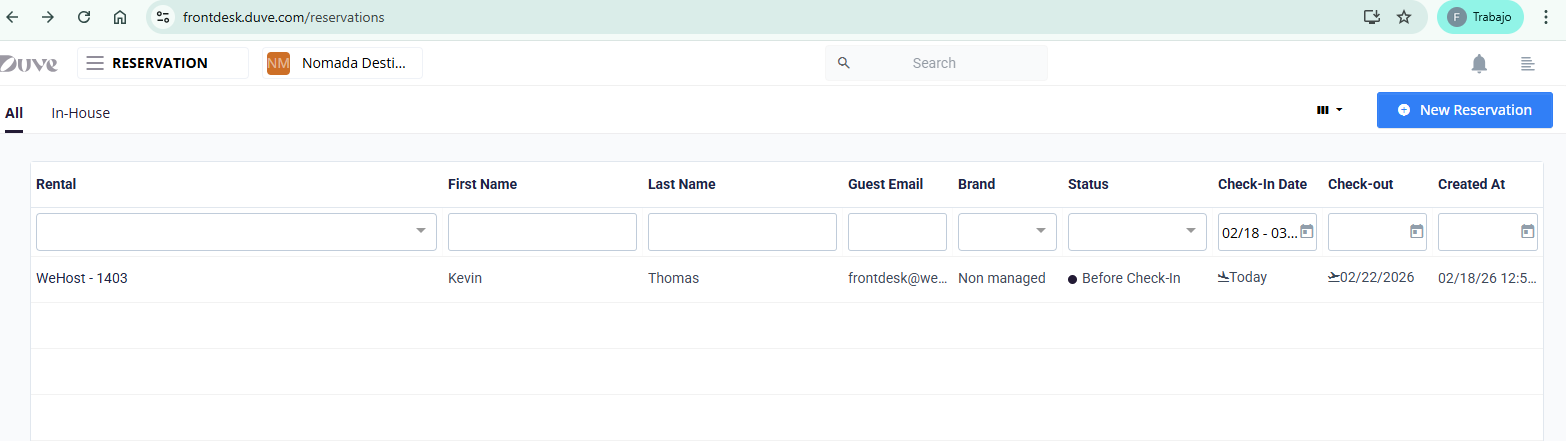
Registration on the platform
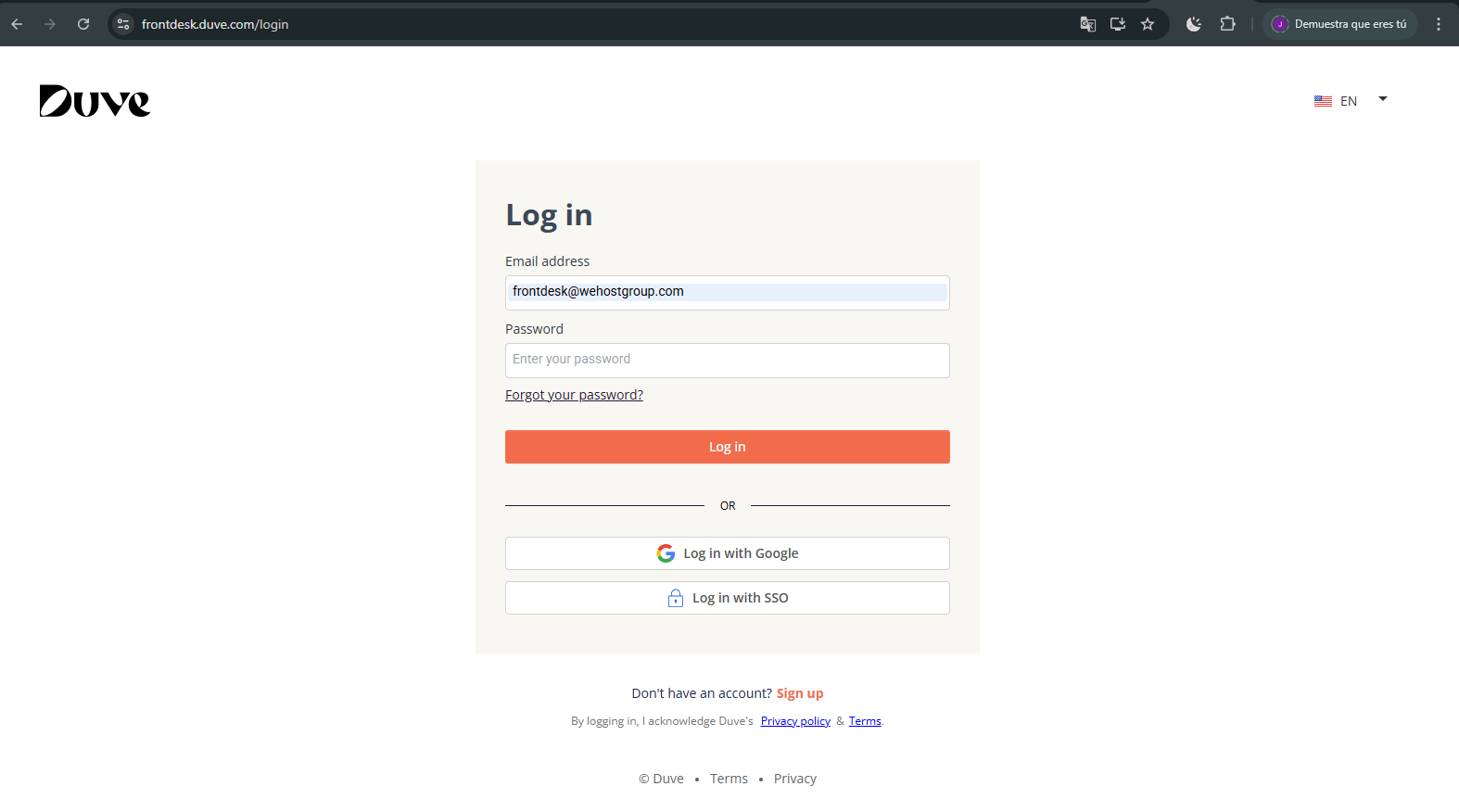
1. Enter through the following link using the credentials provided below:
pagina web https://frontdesk.duve.com/login
USER: frontdesk@wehostgroup.com
PASSW: Wehostgroup25*
2. The Reservations is selected.
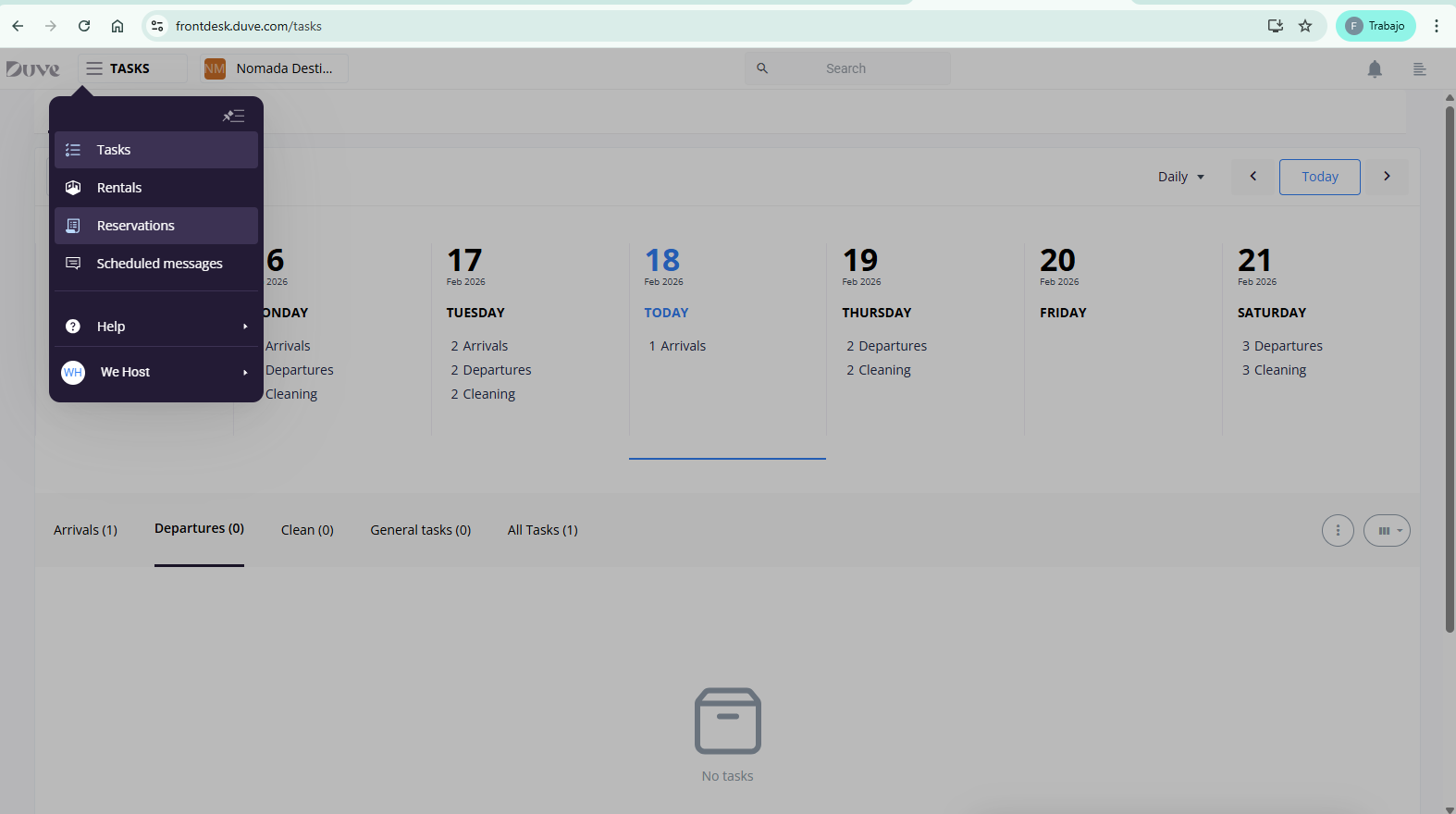
3. Enter New Reservations

4. Select the Unit and Complete the main guest’s information.
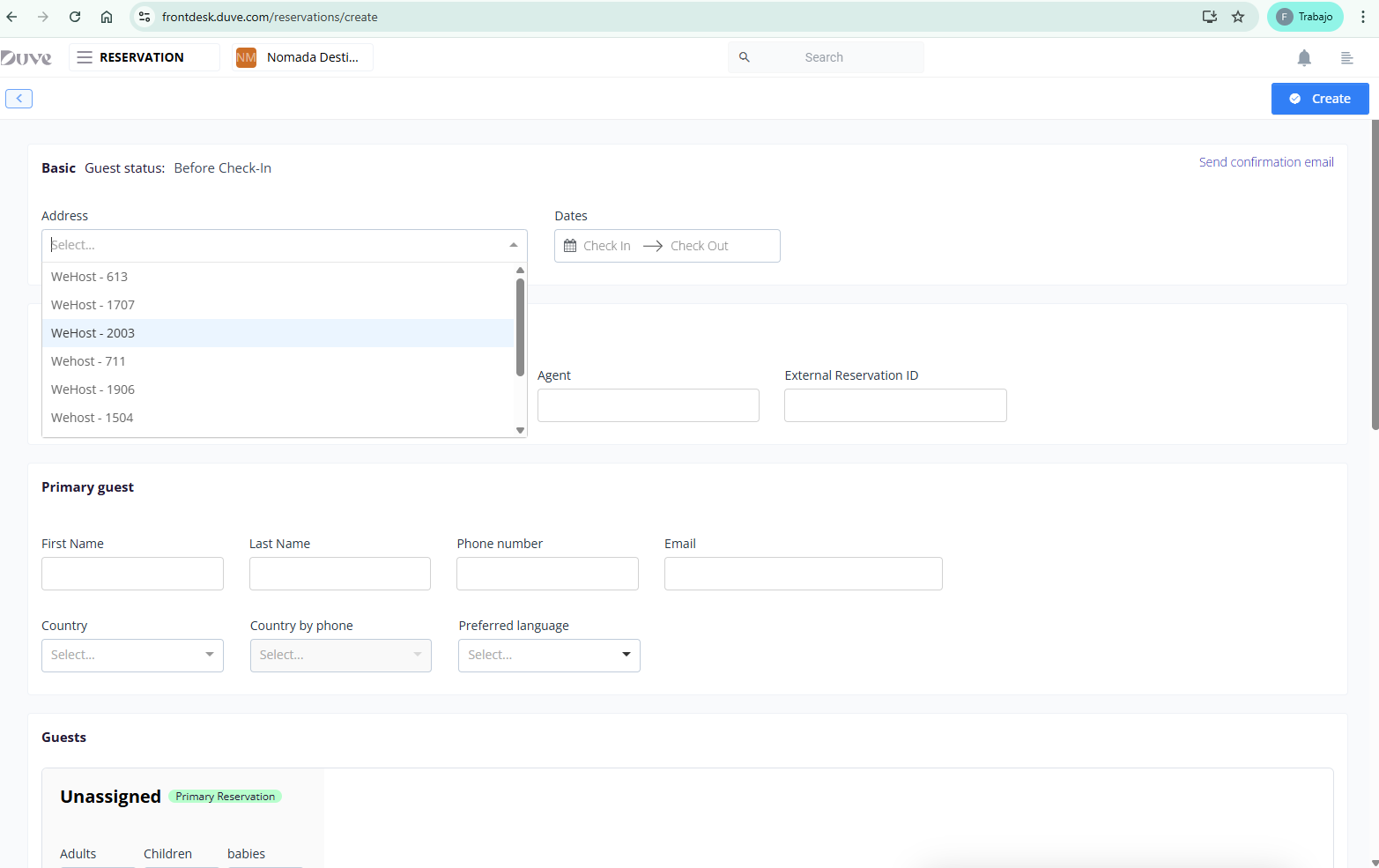
5. Finish the reservation
Registration on the Mail
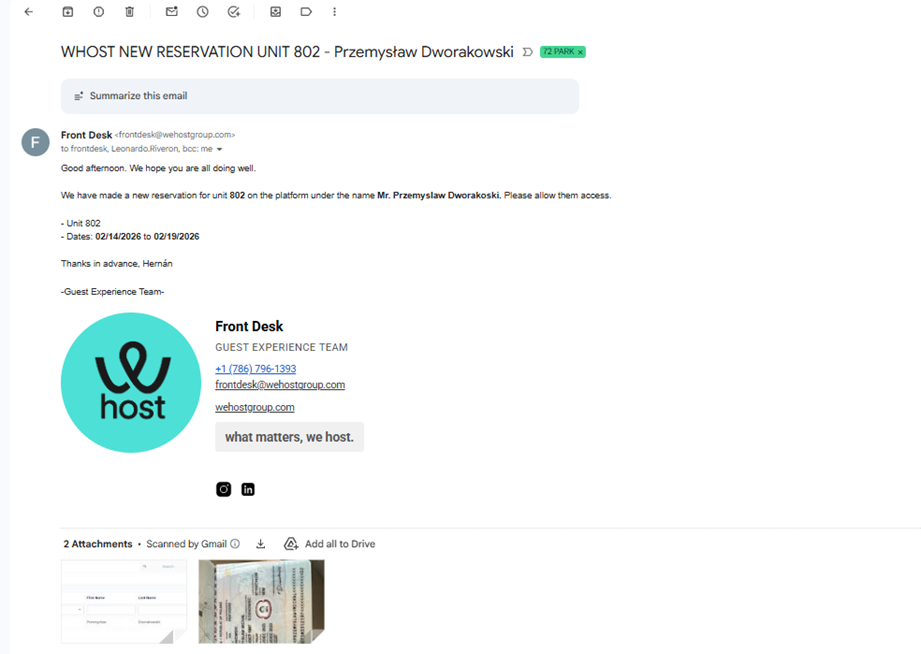
The registration method for this building is email. The following points should be taken into account:
-
For ALL reservations, always sent to email: s
frontdesk@72park.com,
Leonardo.Riveron@72park.com
This registration is done by sending an email to the building with the information of all adult guests who will be staying in the corresponding unit, along with the attached IDs.
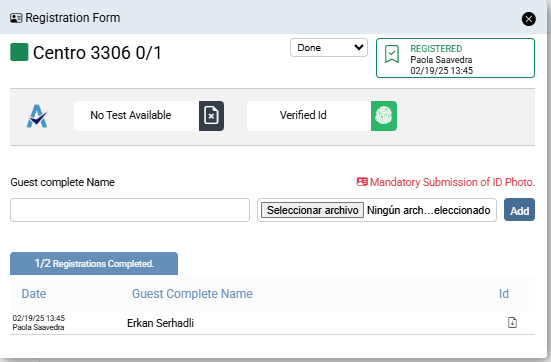
Registration Process in CRM
Only the name of the main guest is needed.
 Unregistered Booking
 Registered Booking
To complete the registration, the Customer Experience team must provide the following information to the Registration department:
Point 1
Point 2
- Guest's address
- Unit
- Time living in the unit
Point 4
Requests 2 references, each with:
-
Full name
-
Relationship with the guest
-
Phone number
-
Email
This information will be added as a Note within the same registration.